Offline-first pathology suite

Run the whole lab from one Android app.

Register patients, build your own test templates and normal ranges, enter results, and hand over a signed PDF report — with or without a network. Every record is encrypted on the device and synced to your lab’s private cloud space.

  • AES-256 encrypted database
  • Works fully offline
  • Multi-device sync
Built for lab reality

Everything a lab does, in one place

Designed around how pathology labs actually work: patchy networks, shared tablets, referring doctors to settle with, and reports that have to look right on paper.

Collision-free report numbers

Report IDs are prefixed per device installation and per month, so two people booking patients offline on two tablets can never mint the same number. The sequence resets to 0001 each month, the way lab billing books expect.

No duplicates
Local first, cloud always

Reads come from the encrypted database on the device, so the app never waits on a signal. Writes queue and land in your lab’s private cloud space as soon as there is one.

Firestore sync

Encrypted on the device

The whole database is AES-256 encrypted with SQLCipher, and the passphrase lives in the Android Keystore — not in a file you can copy off a lost tablet.

AES-256

Print-ready PDF reports

Your letterhead, your signatures, your page breaks. Choose which test groups start on a fresh page; the header band and signature footer repeat on every one.

Print or share

Your normal ranges

Every parameter ships with defaults, and your lab can override them by sex, age in months, or pregnancy — resolved automatically when a report is built.

Per-institute

Doctor-wise billing that adds up

Prices are editable per report and frozen into the record when you save, so a later price change never rewrites last month’s numbers. Totals group by referring doctor over any date range.

Frozen snapshots

Your team, one invite code

Share a six-character code and a colleague joins the same lab on their own phone, with admin rights kept to the people who should have them.

Multi-user
A guided tour

Eight screens, one workflow

Drag the deck, use the arrows, or press the left and right arrow keys.

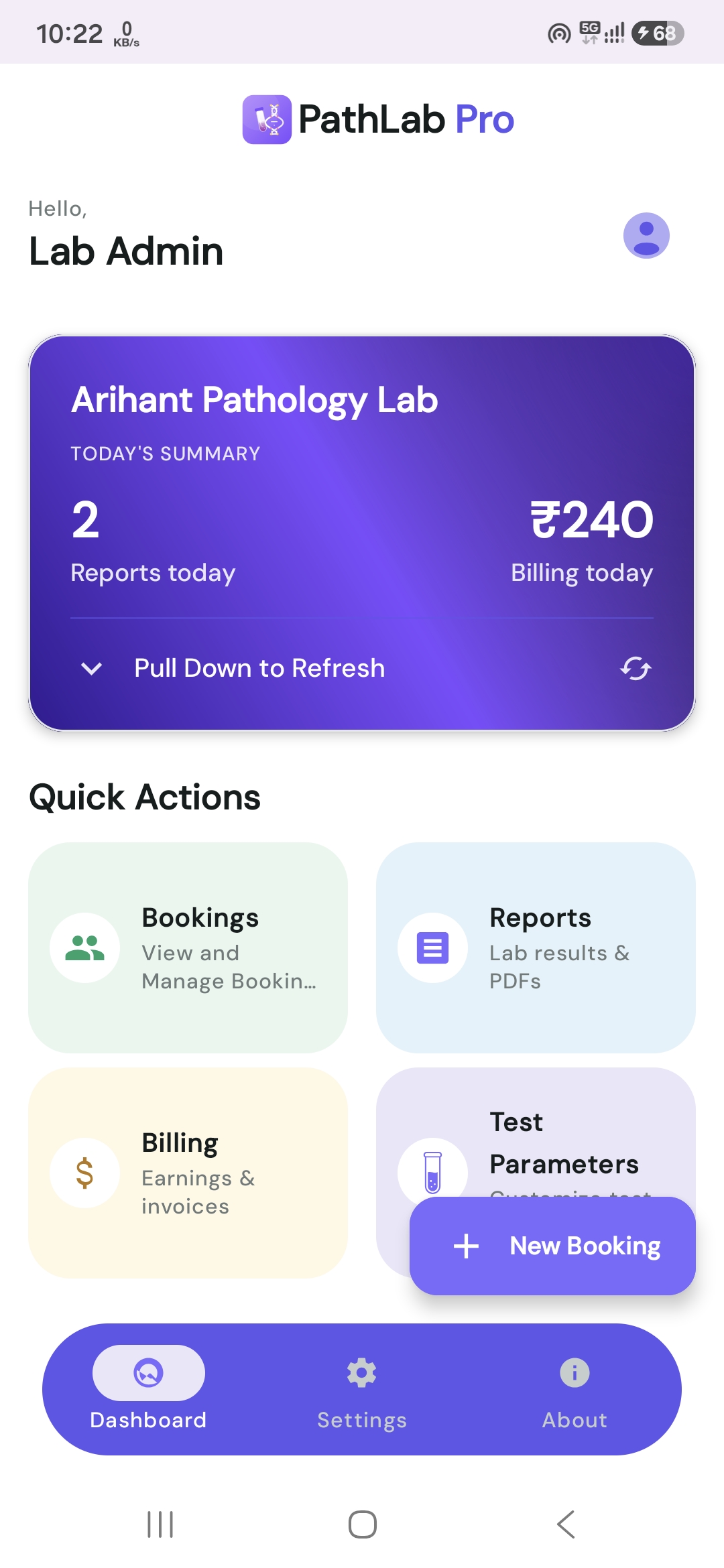
PathLab Pro dashboard showing daily summaries, billing statistics and quick actions

Lab dashboard

Daily counts, billing totals and quick actions

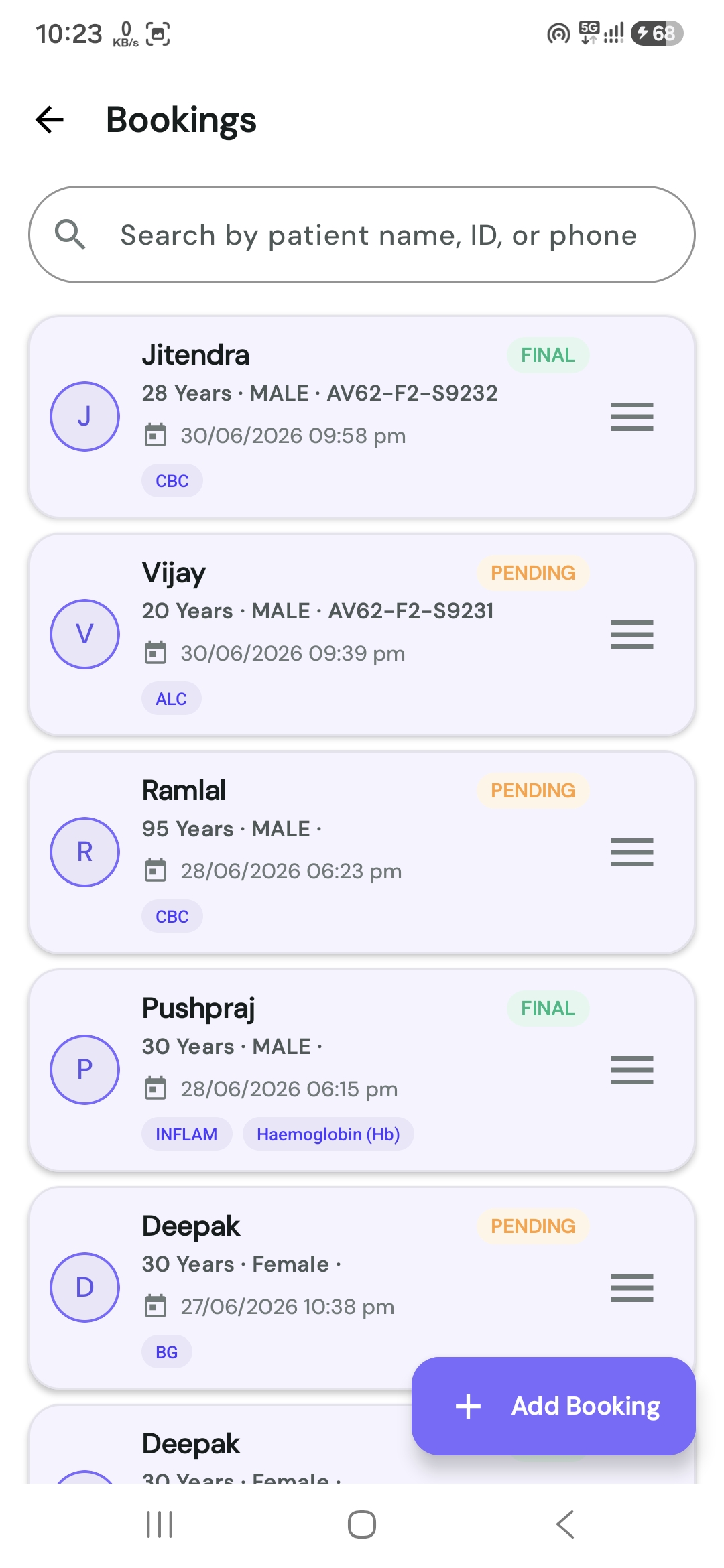
Patient bookings list with search, status badges and sample identifiers

Bookings log

Search patients, track final and pending work

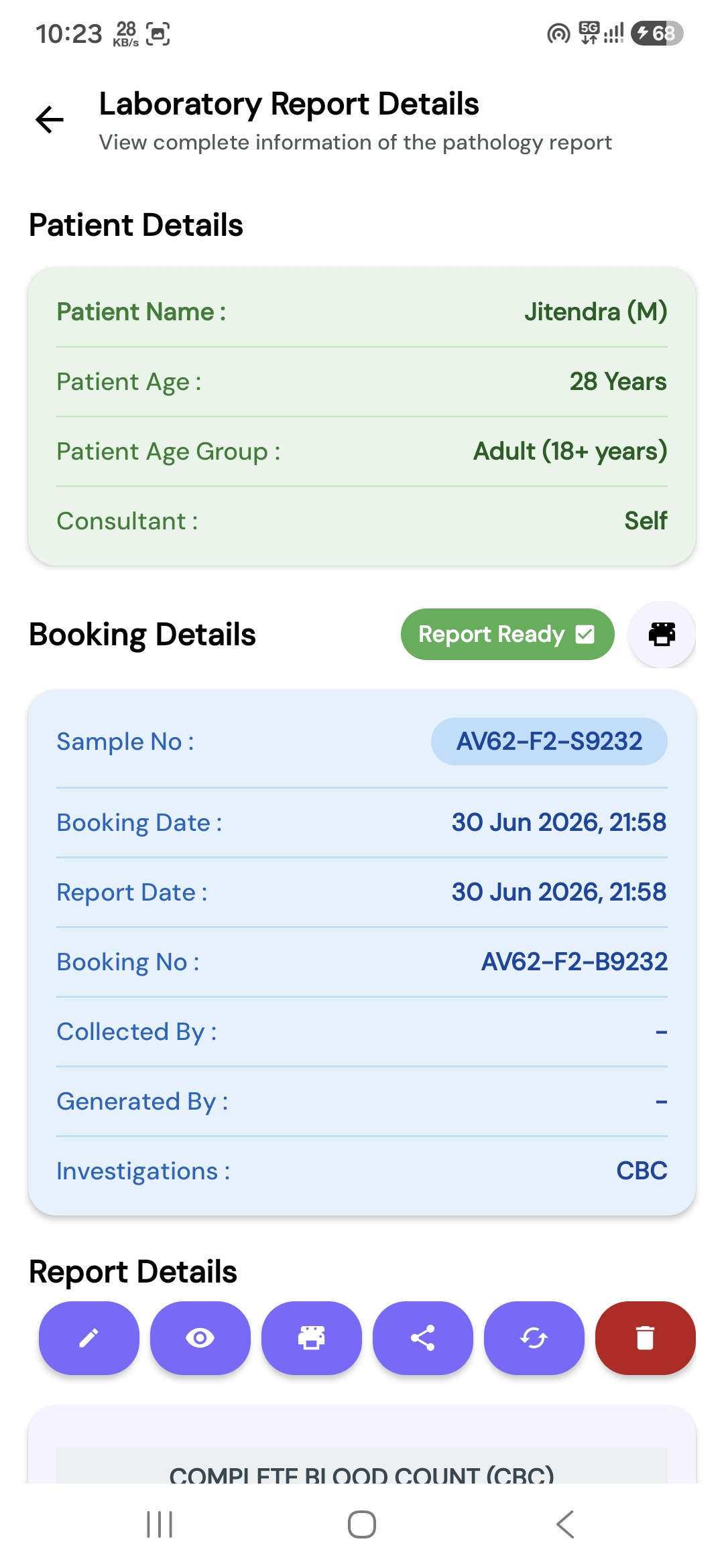
Booking detail screen with patient demographics, sample details and actions

Booking file

Demographics, sample details, share and edit

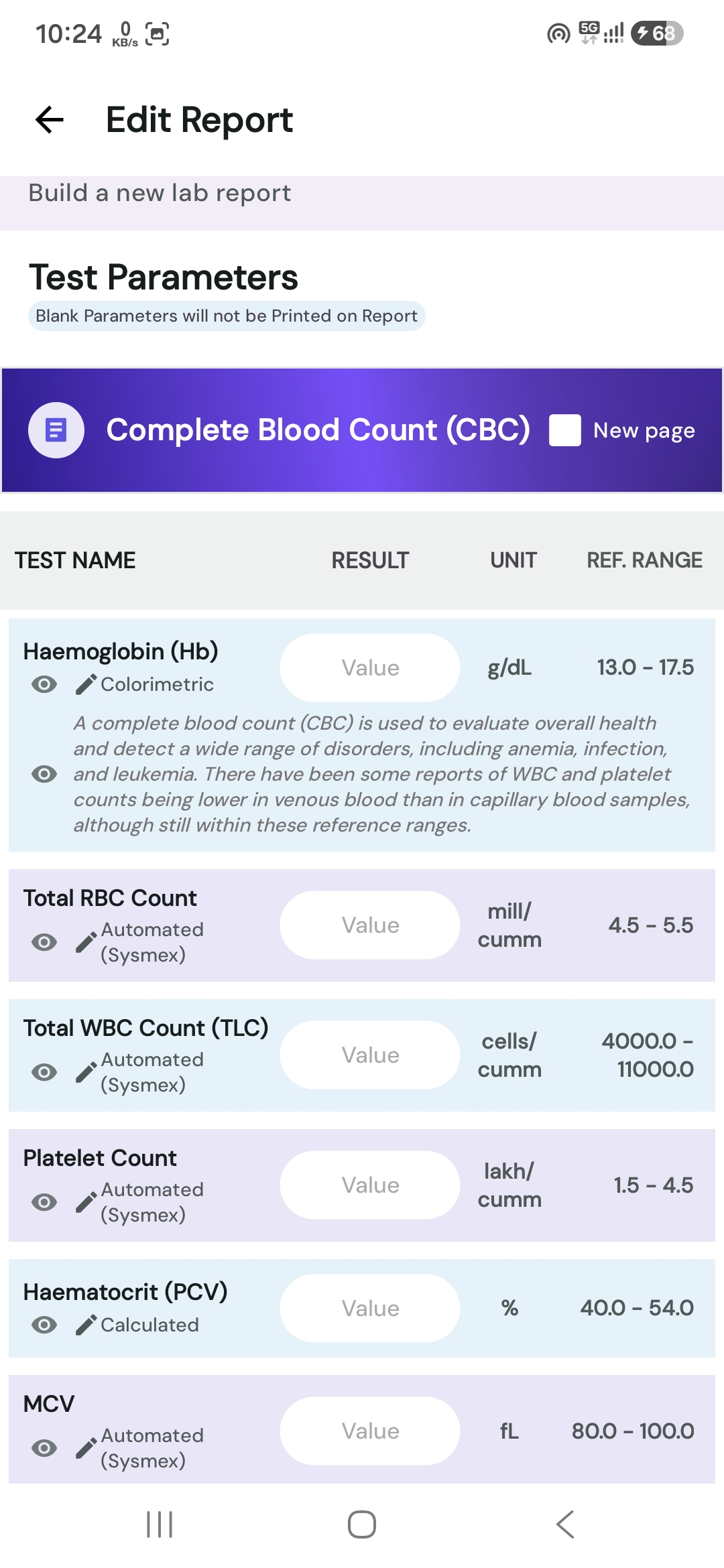
Result entry screen with observation values, clinical notes and a new page checkbox

Result entry

Values, clinical notes, per-group page breaks

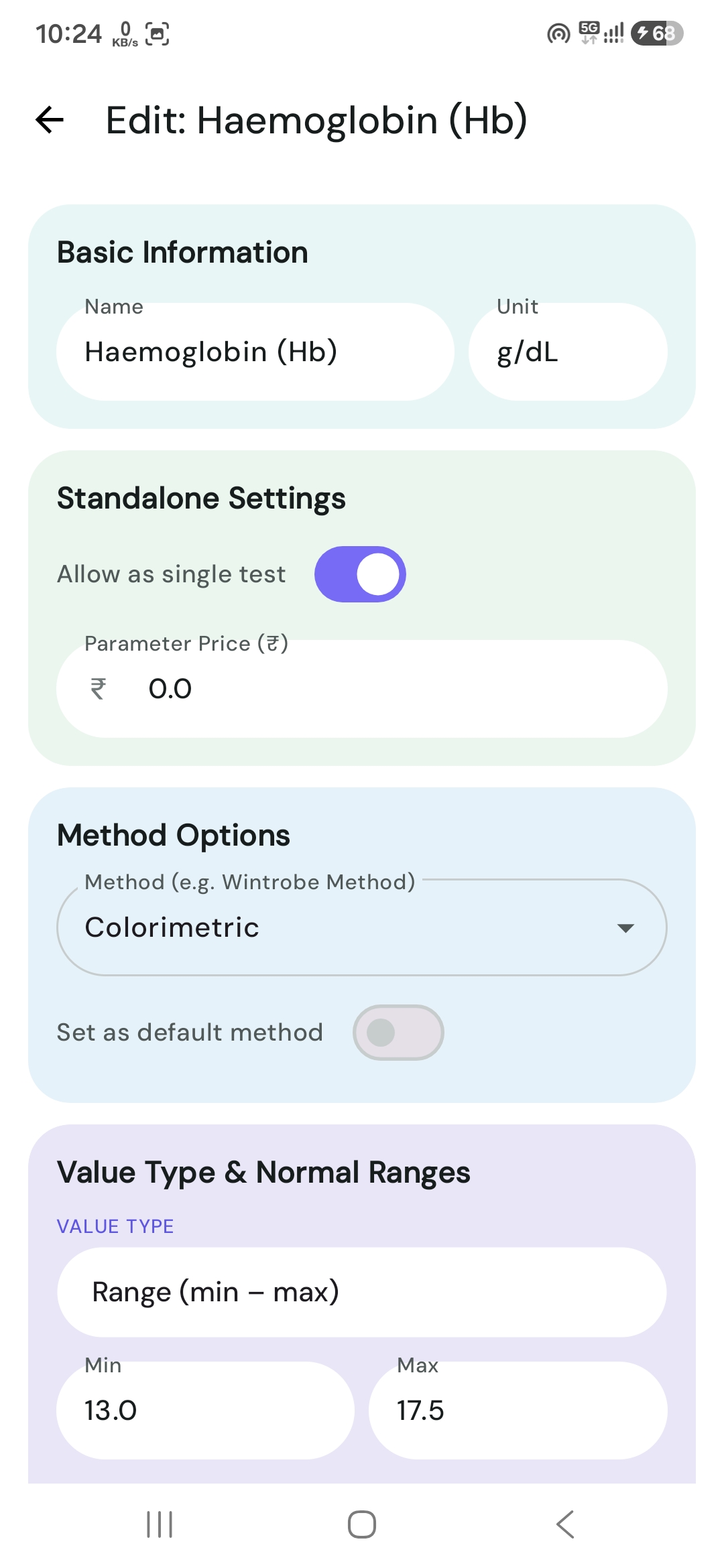
Parameter editor for units, reference values and analytical method

Parameter setup

Units, reference values, method

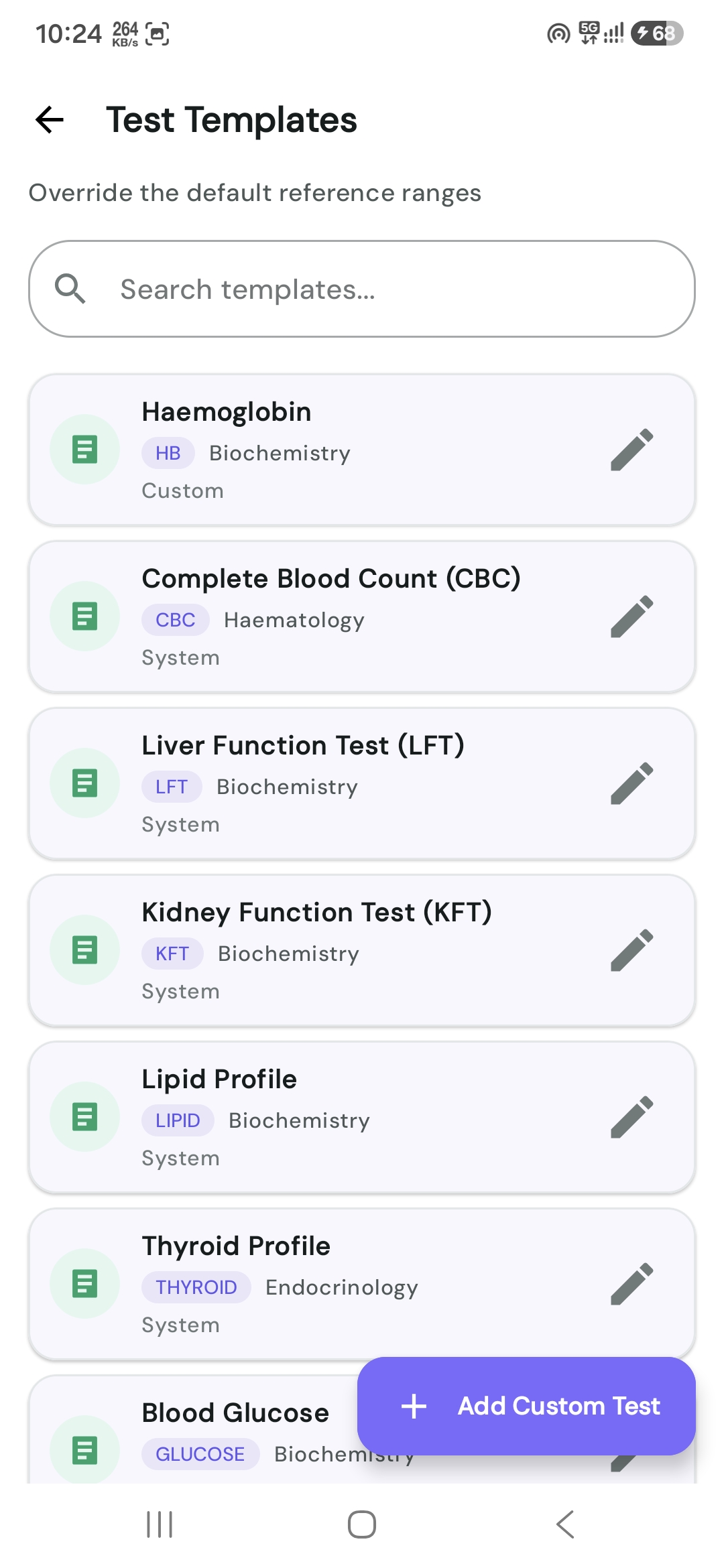
Test template list showing CBC, lipid, kidney, liver and thyroid profiles

Test templates

CBC, lipid, KFT, LFT, thyroid and your own

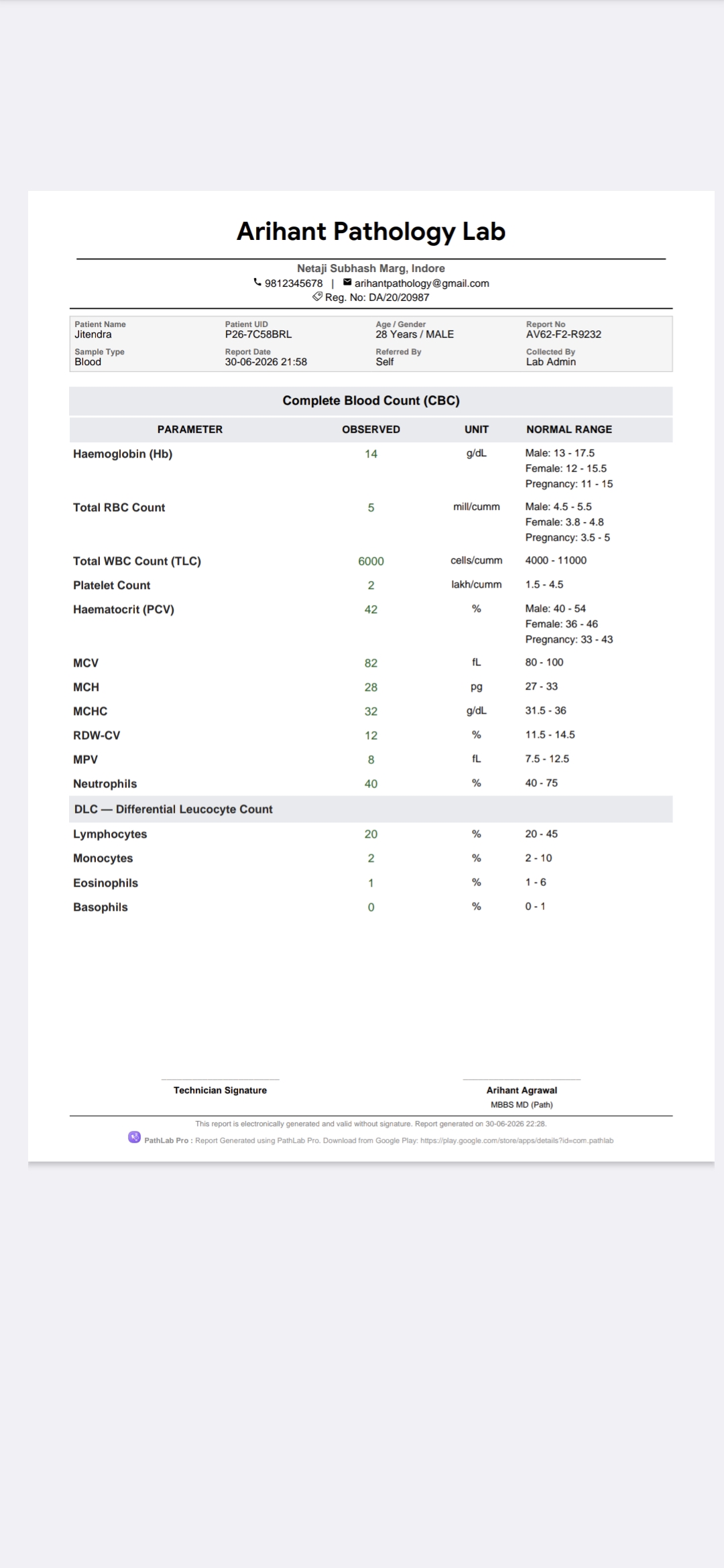
Generated PDF pathology report with normal ranges and signatures

PDF export

Letterhead, ranges, signatures, ready to print

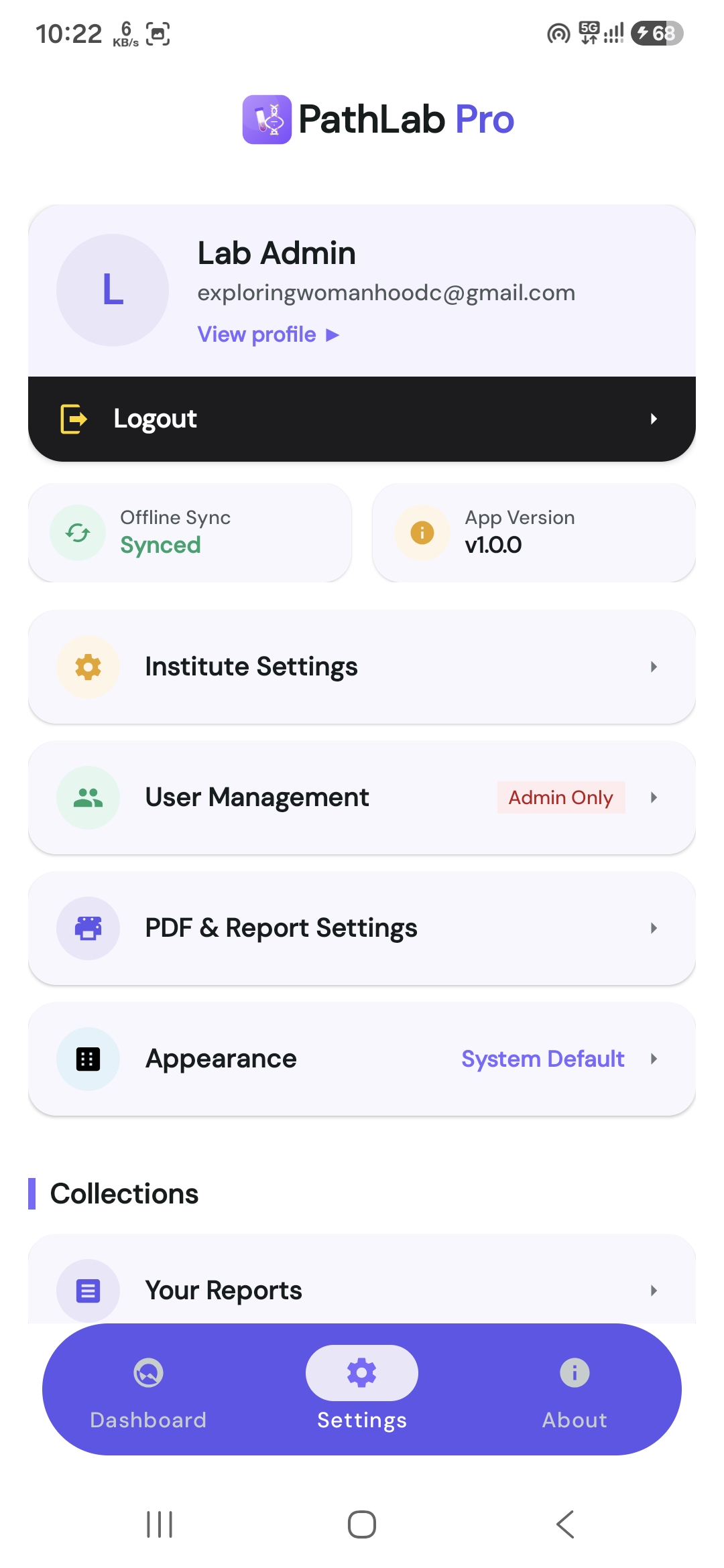
Settings screen for institute details, sync status and app preferences

Settings & sync

Institute details and sync status

Patient to PDF

Six steps, no paperwork

The same path every visit takes, from the front desk to the signed report.

01

Register the patient

Name, age, sex, sample type and the referring doctor. The report number is minted here.

02

Pick the test templates

Start from the seeded profiles — CBC, lipid, KFT, LFT, thyroid — or your own.

03

Enter the observed values

Only the parameters you tick appear on the report, so a partial panel prints clean.

04

Ranges resolve themselves

Your overrides for sex, age in months or pregnancy are applied without being looked up by hand.

05

Sign and export the PDF

Letterhead, per-group page breaks, signatures and a repeating footer on every page.

06

Sync and settle billing

Prices freeze into the record, then roll up per referring doctor for any date range.

The deliverable

A report your patients trust on paper

The PDF is the product. It carries your letterhead, your signatures and only the fields you actually filled in — blank rows are dropped rather than printed empty.

  • Out-of-range values stand out

    Flagged against the range that applies to this patient, not a generic one.

  • Page breaks where you want them

    Send a long panel or a notes block to its own page with one checkbox.

  • Header and footer on every page

    Lab band on top, signatures and disclaimer at the bottom, page after page.

  • Print, share or archive

    Straight to a connected printer, a chat app, or a link the patient can open.

Patient data

Encrypted first, synced second

Clinical records deserve more than a plain database file. PathLab Pro keeps everything encrypted where it sits and moves it only over HTTPS.

  • AES-256 at rest

    The device database is SQLCipher-encrypted; the passphrase is held by the Android Keystore.

  • Google Sign-In

    No password for your staff to reuse or leak — identity comes from their Google account.

  • One lab, one space

    Every patient, report and template lives under your institute in the cloud, reachable only by members you invited.

  • HTTPS only

    Cleartext traffic is switched off at the platform level, so nothing leaves the app unencrypted.

What is stored where

A lost or stolen tablet does not hand over your records: without the Keystore-held key the database file is unreadable.

SQLCipher · Keystore
0bit AES encryption on the device database
0clinical test templates seeded on day one
0of report entry works with no network
0duplicate report numbers, by design
Questions

Before you install

Does it work without internet?

Yes. Registering patients, entering results and generating a PDF all run against the encrypted database on the device. When a connection returns, the queued changes sync to your lab’s cloud space on their own.

Can two people use the same lab on different phones?

Yes. The first person creates the institute and shares a six-character invite code; anyone who joins with it sees the same patients, templates and reports. Admin-only actions stay with the admins.

Can I use my own test panels and reference ranges?

Yes. The seeded profiles are a starting point — you can add your own groups and parameters, set units and methods, and override normal ranges by sex, age in months or pregnancy. Those overrides are what the report uses.

How does billing per referring doctor work?

Each test group carries a price you can edit while making the report; that edit applies to the report only and never changes the master price. The figures are frozen into the saved record, then grouped by referring doctor for any date range.

What happens to my data if I stop using the app?

You can ask for your institute’s cloud data to be deleted at any time from the data deletion page. Uninstalling removes the encrypted database from the device with it.

Which Android versions are supported?

Android 7.0 and newer, on phones and tablets. The report screens are laid out for a phone first, so a small screen is not a second-class experience.

Put the lab in your pocket

Install PathLab Pro, create your institute in a minute, and print your first report the same morning.